✍
Split-pane live preview
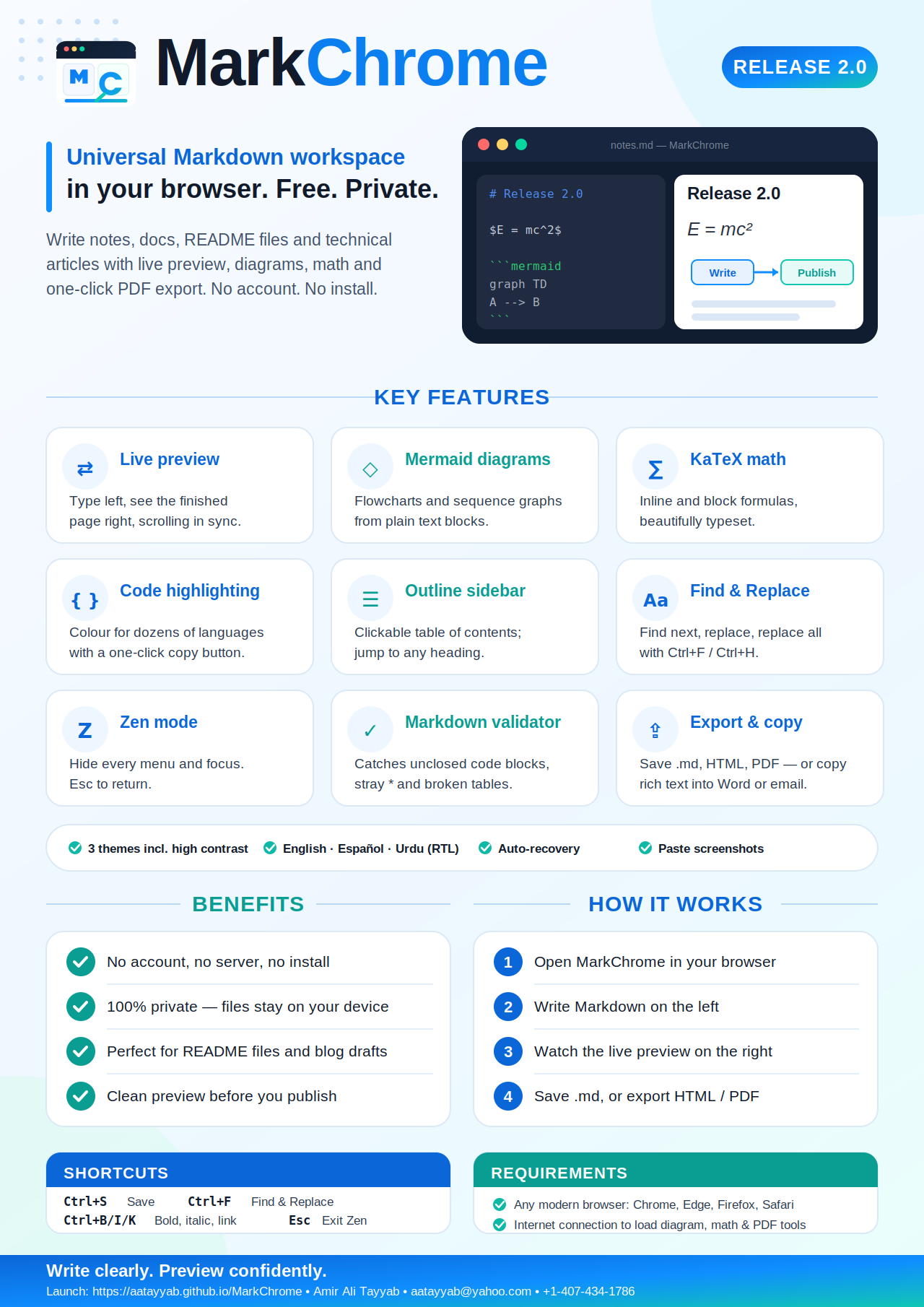
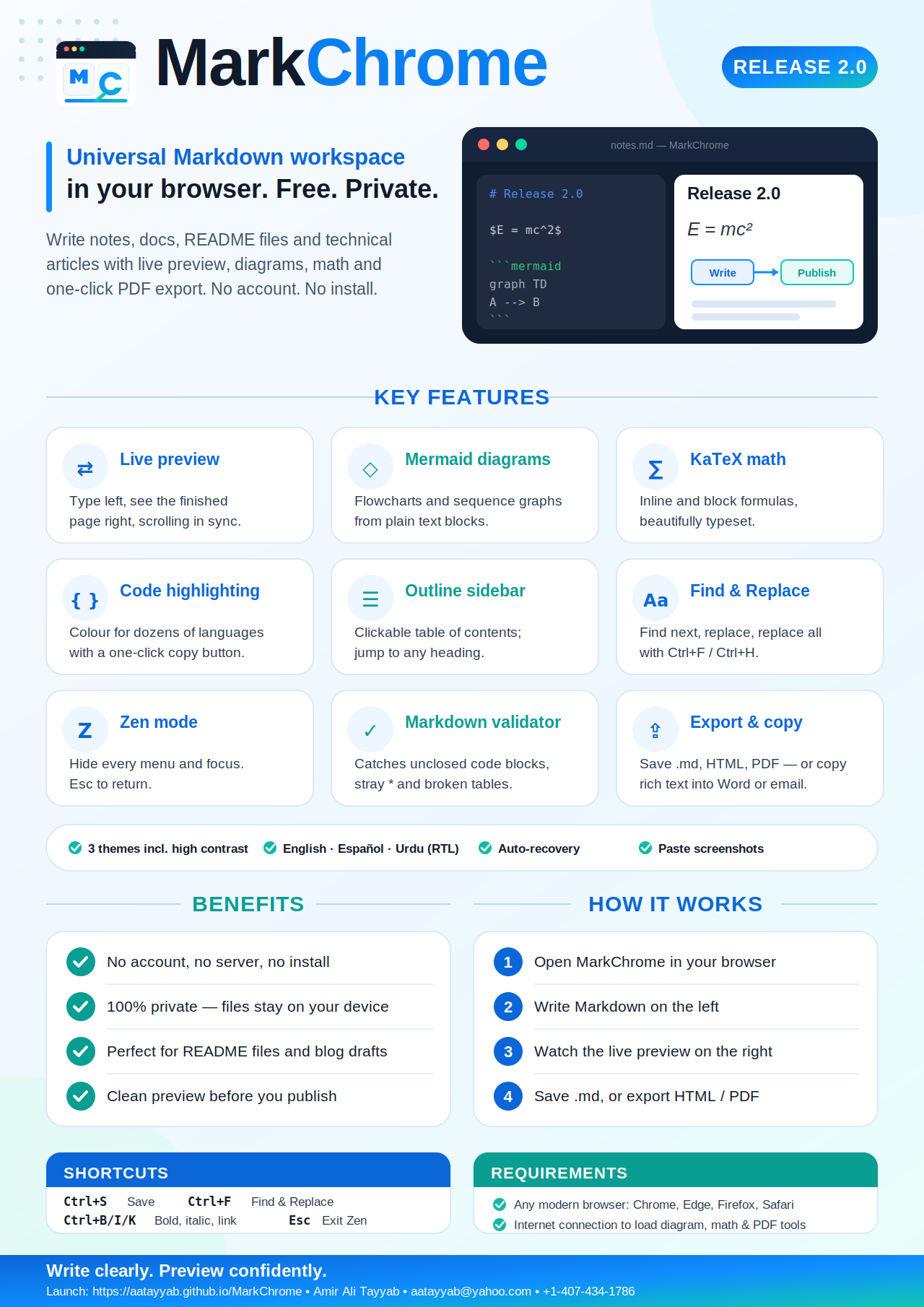
Markdown on one side, beautiful rendered result on the other, with synchronized scrolling and GitHub-style tables, task lists and footnotes.
MarkChrome 2.0 is a free, browser-based Markdown workspace with live split-pane preview, Mermaid diagrams, KaTeX math, code highlighting, an outline sidebar, find & replace, Zen mode, a built-in validator, auto-recovery, HTML & PDF export — and an English, Spanish and Urdu interface.
Write quickly, preview live, and save as a Markdown file.
Release 2.0 turns MarkChrome from a simple editor into a complete Markdown workspace — still free, still no account, still 100% in your browser.
Markdown on one side, beautiful rendered result on the other, with synchronized scrolling and GitHub-style tables, task lists and footnotes.
Draw flowcharts and sequence diagrams from plain text with a ```mermaid block. They render live in the preview.
Type $E=mc^2$ inline or $$…$$ blocks and get clean, publication-quality formulas.
Syntax colours for dozens of languages with a one-click copy button on every code block.
See every heading as a clickable table of contents and jump to any section instantly.
Search, replace one, or replace all — with Ctrl+F / Ctrl+H, right inside the editor.
Hide every menu and write without distraction. Press Esc (or tap Exit Zen on a phone) to return.
One click scans for unclosed code blocks, stray asterisks and broken table rows before you publish.
Save .md, export standalone HTML or PDF, or copy formatted rich text (diagrams included) straight into Word or email.
Interface in English, Español and اردو with full right-to-left layout.
Dark, light and a high-contrast mode for accessibility.
Drafts are cached automatically every 3 seconds, so a closed tab never costs you your work.
Open the editor, start writing, and save or export when you are done. Nothing is uploaded anywhere.
Open the hosted app from the website or download the standalone HTML file.
Type or paste in the left pane — or drag & drop a .md / .txt file, or paste a screenshot directly.
Use the toolbar, shortcuts, outline, find & replace, Zen mode and themes. Add diagrams and math with simple code blocks.
Save a .md file, export HTML or PDF, or copy formatted rich text into Word or email.
Best for Markdown writing, drafting, and local document editing in any modern browser.
Drafts are cached in your browser every 3 seconds. Reopen MarkChrome and your last draft is restored.
Use Ctrl+S (⌘+S on Mac) or Save regularly. Save As… makes a copy under a new name.
Press Validate to catch unclosed code blocks, stray asterisks and broken table rows.
Type //date or //table then press Space to drop in a timestamp or table.
Copy a screenshot and paste it into the editor — it is embedded in the document automatically.
Store important Markdown files in a synced folder, external drive, or a Git repository.
Release 2.0 — launch the editor online, download the standalone HTML app, or grab the brochure. Source code and release notes are on GitHub.
Launch Editor Download App Download Brochure All ReleasesPlease include your browser name, operating system, and the Markdown feature you were using when reporting an issue.